Compute Configuration Overview
Compute configurations store compute and job settings that sources are linked to. For performance and cost recommendations, see Production Workload Compute Configuration Recommendations.
Compute List
Navigate to System Configurations → Compute Configurations from the main menu.
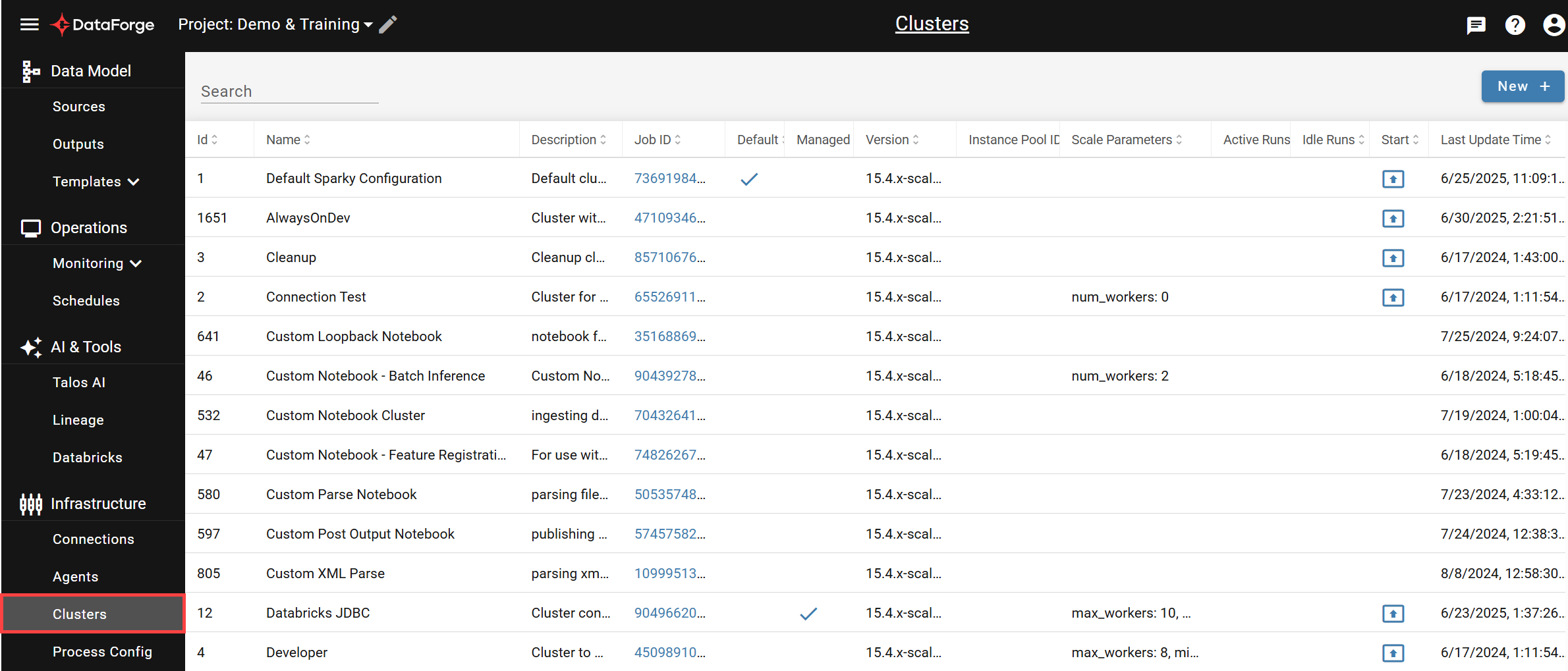
The table lists all compute configurations with filtering by name/description and column sorting. Click any row to open its settings page, click the launch icon in the Start column to start a compute manually, or click NEW + to create a new configuration.
Settings
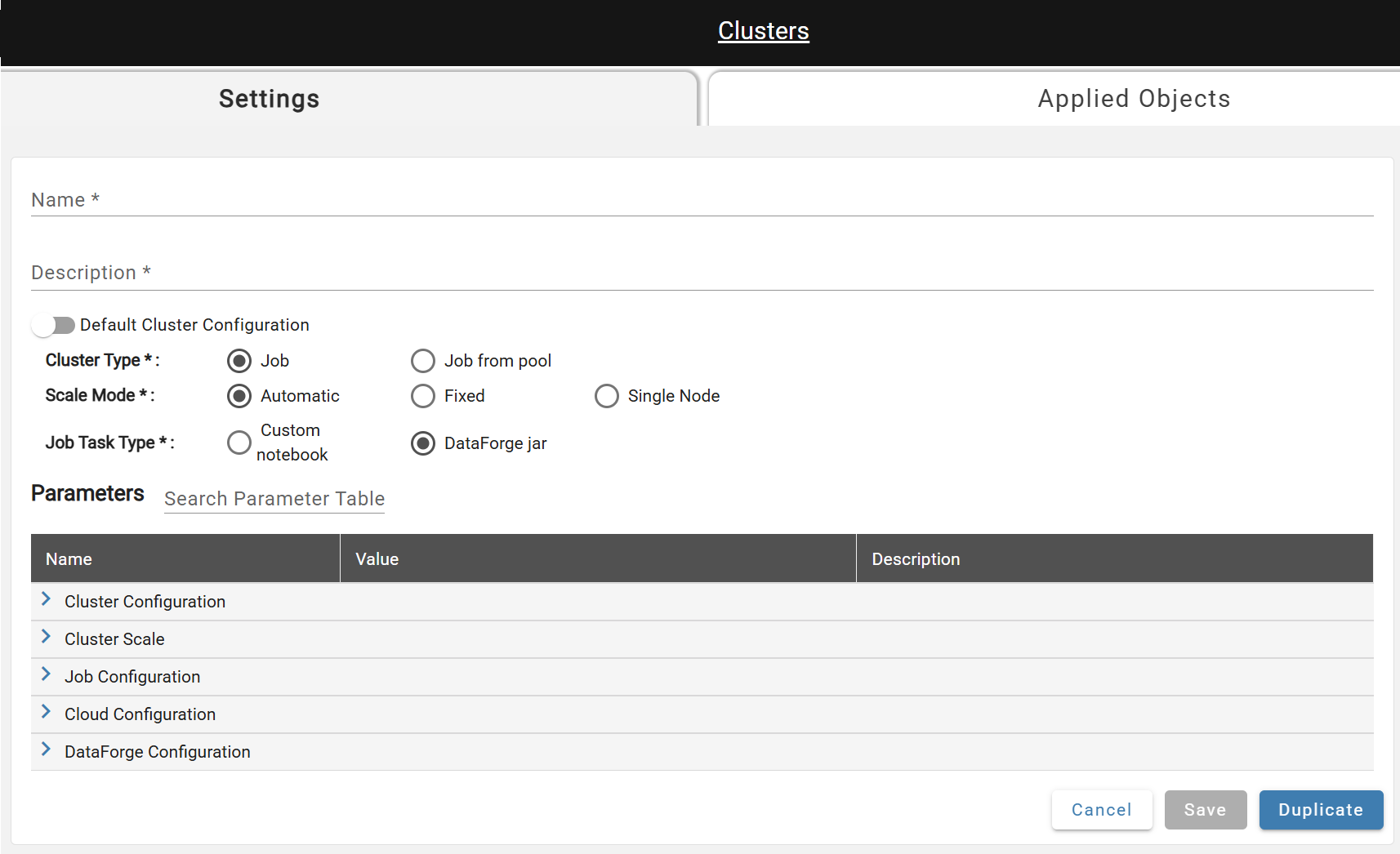
- *Name: A unique name.
- *Description: A one sentence summary describing the compute.
- Default Compute Configuration: A flag that marks the compute as the default. Once active, toggle is disabled until another default compute is selected.
- *Compute Type: Create either a new Job (default, recommended) or user specified pool.
- *Scale Mode: The number of workers can be automatically managed by Databricks or can be a fixed value.
- *Job Task Type: DataForge Jar. Custom notebooks run through Sparky on this compute, and their paths are set on the Source or Output. See Setting Up a Databricks Custom Notebook.
Duplicate (near Save) creates a copy with the same settings named "
Advanced Parameters
Advanced parameters are shown based on your required-parameter selections; descriptions for each appear in the UI. User-modified parameters are displayed in bold.
A notable parameter is Max Processes Per Compute — by default, each new process starts a new job run of the attached compute configuration.
Scheduling limits in 11.1
Max Parallel Compute limits the number of concurrent compute runs for this configuration. Max Processes Per Compute remains a numeric admission limit within each run. Workflow ordering, write locks, and exclusive processes apply independently of compute placement.
The former Max Parallel Compute Per Source (max_parallel_clusters_per_source) and Compute Launch Rate Per Source (cluster_launch_rate_per_source) settings are removed in 11.1. Their former values no longer constrain a source and are not converted into global limits. A source can use multiple compatible runs within the configuration-wide cap.
DataForge reuses compatible capacity, gives waiting sources fair access, and coordinates launches with bounded internal backoff. A compute preference for a source does not reserve capacity indefinitely. Unstarted assignments that stop making progress can be released while retaining their process and input identities.
During a coordinated upgrade, DataForge removes both settings from active configurations and defaults. Legacy API, MCP, and copied configuration inputs have these settings removed with deprecation warnings. New configurations and saved copies omit them. Existing global and per-compute limits and unrelated settings are preserved. Retain a pre-upgrade backup if the former settings may need to be restored.